HR managers
- One login instead of eight
- Navigation that prevents misclicks
- Automatic calculations
Work / Keystone Bank HRMS
Keystone Bank ran HR on eight separate systems. I was a product designer on the team that replaced them with one platform for 2,000+ employees, shipped in three milestones over nine months.
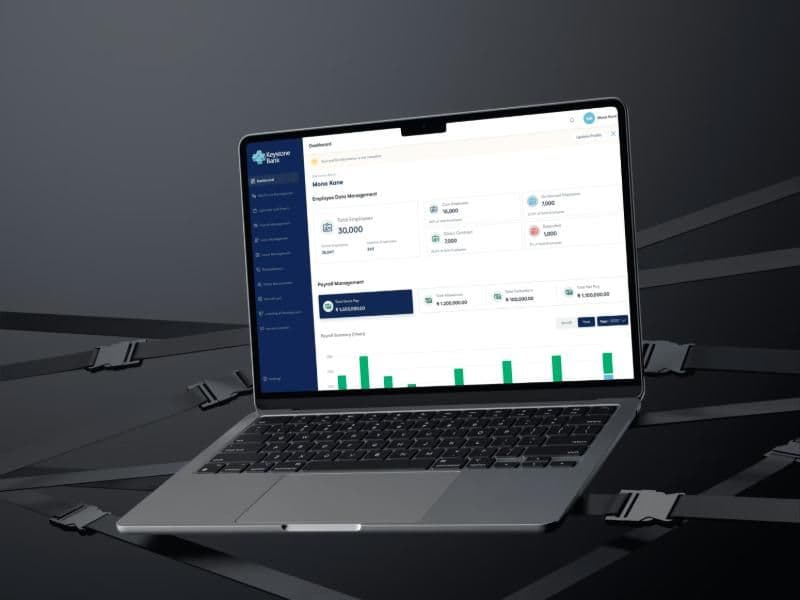
Payroll, recruitment, leave, promotions and employee data each lived in a different system, with its own interface and login. An HR manager handling leave, redeployment and recruitment switched between three platforms every day.
Paid leave shows the cost. Employees requested it in one system, payroll was calculated by hand in another, and HR checked public holidays in a third. The result was delays, errors and a poor experience for staff.
The question we worked from: how might we design one HR system that replaces eight, and still works for system admins, HR managers and 2,000+ employees?
We audited all eight legacy systems and met HR managers across payroll, recruitment, leave and talent, plus system admins, the bank's project team and employee representatives.
Three findings shaped the design. Staff clicked the wrong module because old menus showed names with no description. KPIs were weighted in real life but not in the system. Leave and payroll were disconnected, so every paid leave meant a manual calculation.
One hard constraint: the bank's existing user management system (AUMS) held all employee data and roles. We integrated with it instead of rebuilding it, and it decided which modules each person could see.
We split delivery into three milestones by user type. When one designer left midway, I absorbed their modules and took over the design system.
Permission management and payroll management, both fully mine. Configuration and audit trail with the team.
Employee dashboard, onboarding, leave management and all 7 self-service modules.
KPIs, appraisals and succession planning. A mobile app was designed, then paused for budget.
Four of the choices that did the most work.
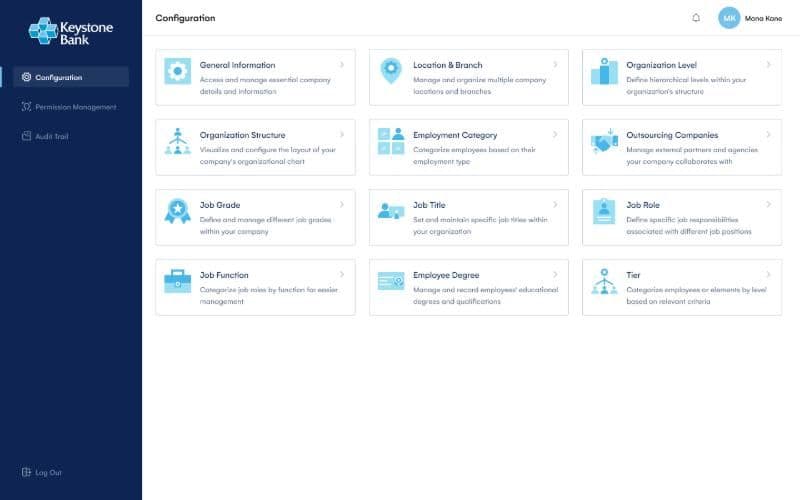
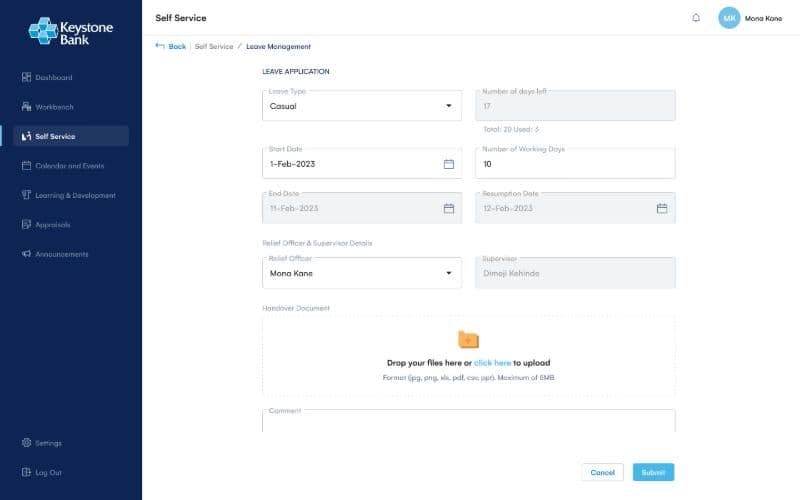
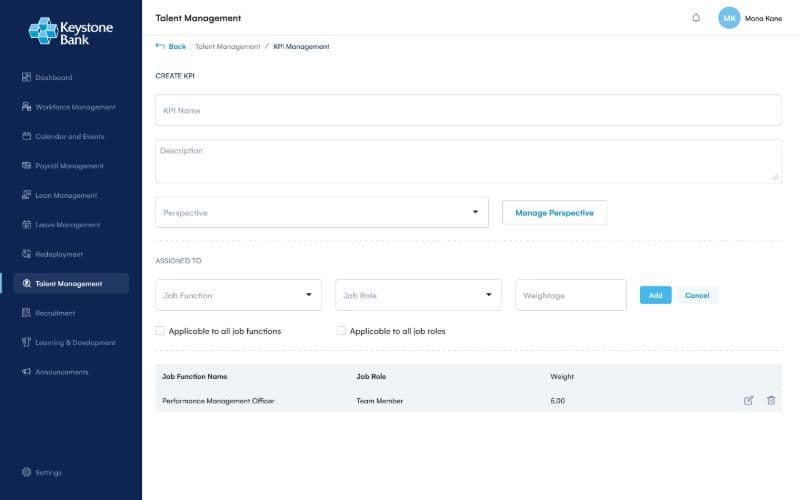
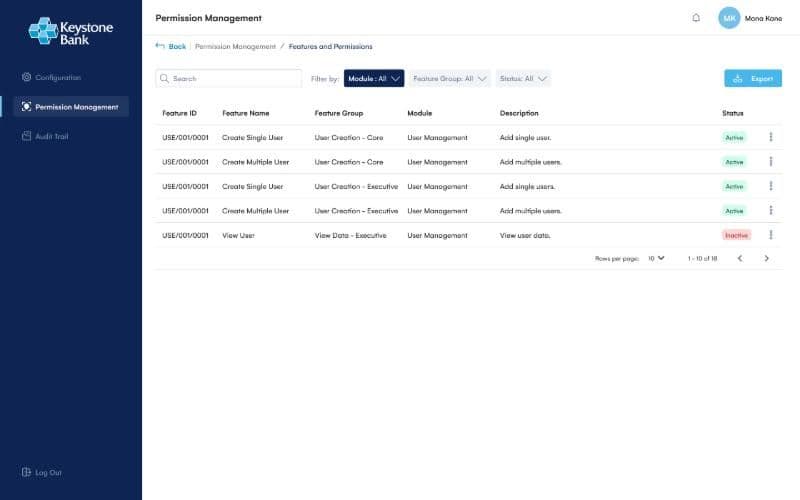
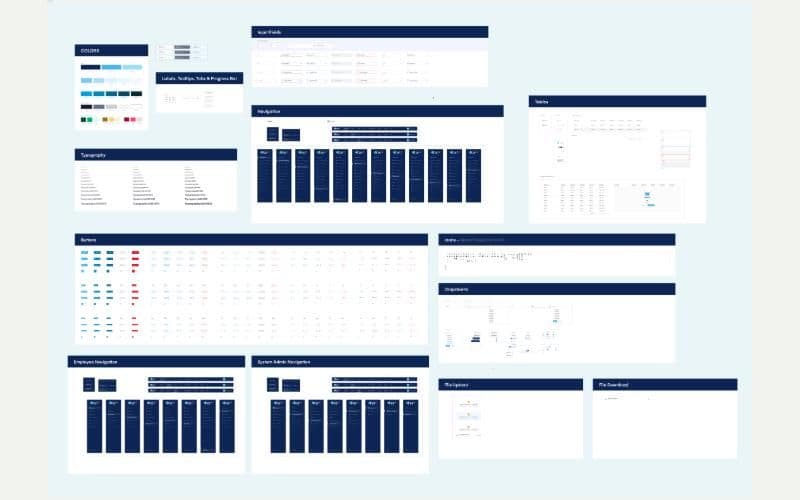
With this much scope and time pressure, we set up colours, type, components, icons and grids before the modules. It let us design straight in high fidelity, and it kept things consistent when the team shrank from three designers to two.
Developers joined our internal reviews to flag constraints early. Every decision then went through our chief product officer and the bank's team before handoff.
All three milestones launched and are in use by staff across the country.
Systems consolidated into one platform
Employees on the system
Modules across 3 milestones in 9 months
“They have been loving the new system.”
Time pushed us to validate with stakeholders. I would watch HR managers and employees use it to catch issues earlier.
I would document why each iteration changed, for future work and for defending decisions.
Admin platforms for Sierra Leone's first digital transit system.
I take on product design and build projects for founders and teams anywhere. Tell me what you're making.
adesodun67@gmail.com